Your setup, run as a project. Every step on screen.
Saying “transparent” is easy. Here is what it looks like. These are the real Vantablack portal screens, filled with demo accounts, from the quote to the issued licence, including the moments that usually go wrong and how they are solved.
- 1Accept an itemised quote
- 2Tick your checkpoints
- 3Ask on your discussion board
Everything else, from authority submissions to follow-ups, is on us, and you can watch it happen.

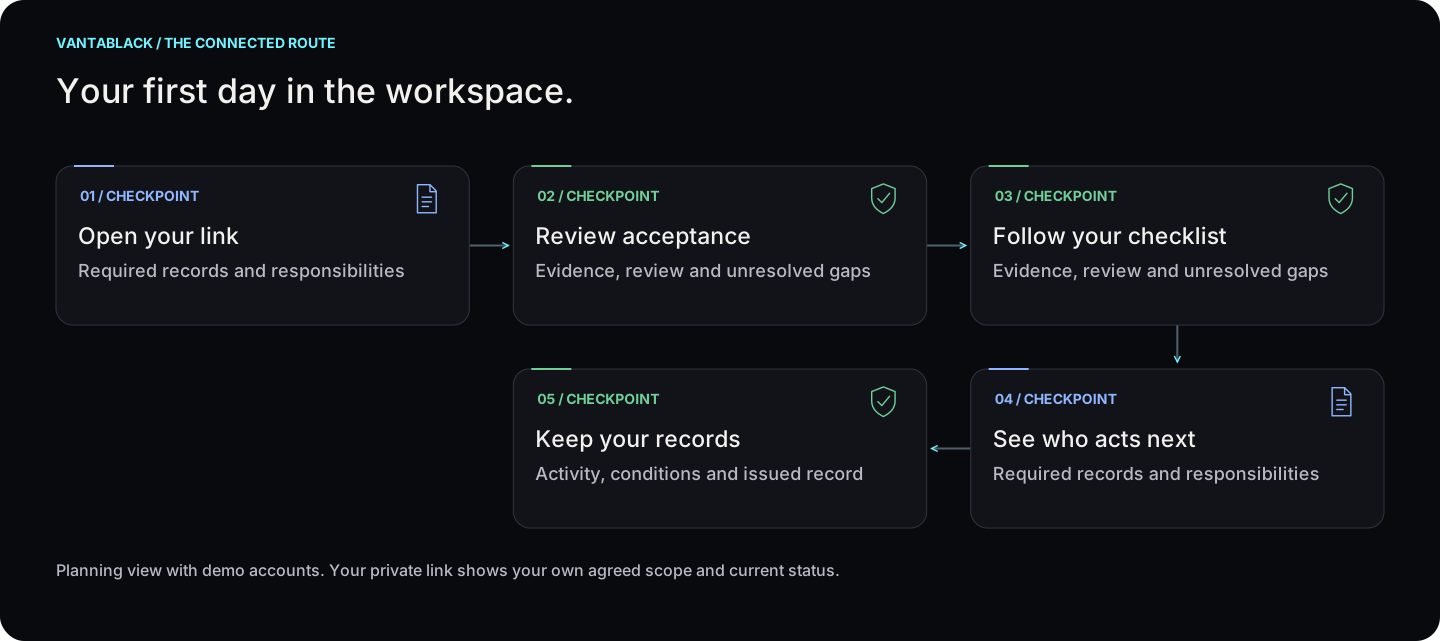
Your first day in the workspace.
Planning view with demo accounts. Your private link shows your own agreed scope and current status. Select a step to see who acts and what happens next.
Your first day in the workspace.
Select a checkpoint for detail
01Open your linkView checkpoint
Required records and responsibilities
02Review acceptanceView checkpoint
Evidence, review and unresolved gaps
03Follow your checklistView checkpoint
Evidence, review and unresolved gaps
04See who acts nextView checkpoint
Required records and responsibilities
05Keep your recordsView checkpoint
Activity, conditions and issued record
Planning view with demo accounts. Your private link shows your own agreed scope and current status.
Read the steps
- Open your link — Required records and responsibilities
- Review acceptance — Evidence, review and unresolved gaps
- Follow your checklist — Evidence, review and unresolved gaps
- See who acts next — Required records and responsibilities
- Keep your records — Activity, conditions and issued record
01
 Open your linkView step +
Responsible: Client
Read the quote and confirm your details.
Next: Review acceptance
Time: Confirmed for your file; see the estimate below.
02
 Review acceptanceView step +
Responsible: Client + Vantablack
Check the scope, terms and available payment arrangements.
Next: Follow your checklist
Time: Confirmed for your file; see the estimate below.
03
 Follow your checklistView step +
Responsible: Client
Provide the application information and requested files.
Next: See who acts next
Time: Confirmed for your file; see the estimate below.
04
See who acts nextView step +Responsible: Client + Vantablack
Read the checkpoint owner, status and next update.
Next: Keep your records
Time: Confirmed for your file; see the estimate below.
05
 Keep your recordsView step +
Responsible: Client + Vantablack
Use the same workspace for handover and agreed follow-up.
Next: Agree the next service only if needed
Time: Confirmed for your file; see the estimate below.
Time estimate
Your assigned checkpoints carry the case dates. No universal setup deadline is promised by this demo.
Costs before you proceed
Check the itemised quote before acceptance. Payment confirmation and access follow the configured portal flow; online card checkout is not connected.
Visits and presence
The workspace is online. Any authority, bank or identity appointment is confirmed separately for your case.
Prepare these documents
- Your accepted quote and agreed scope
- Application information requested for your case
- Only the documents on your assigned checklist
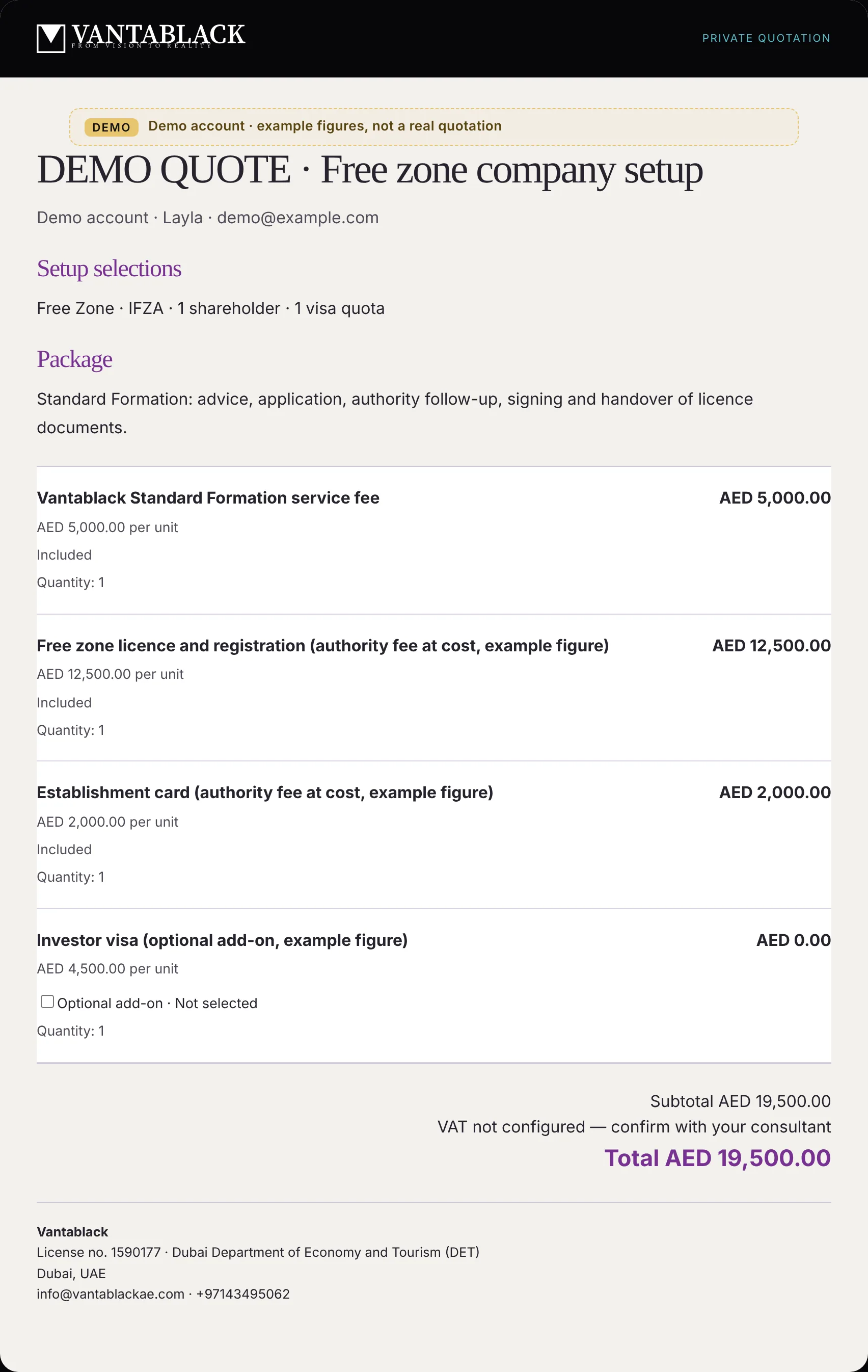
Every fee, itemised, before you accept.
Your quotation lists our service fee and every authority fee as separate lines, at cost, with optional add-ons switched off until you choose them. You see the total before you commit.
- Our service fee on its own line
- Authority fees shown at cost, never bundled
- Optional extras are off unless you tick them
- Receipts handed over after every payment

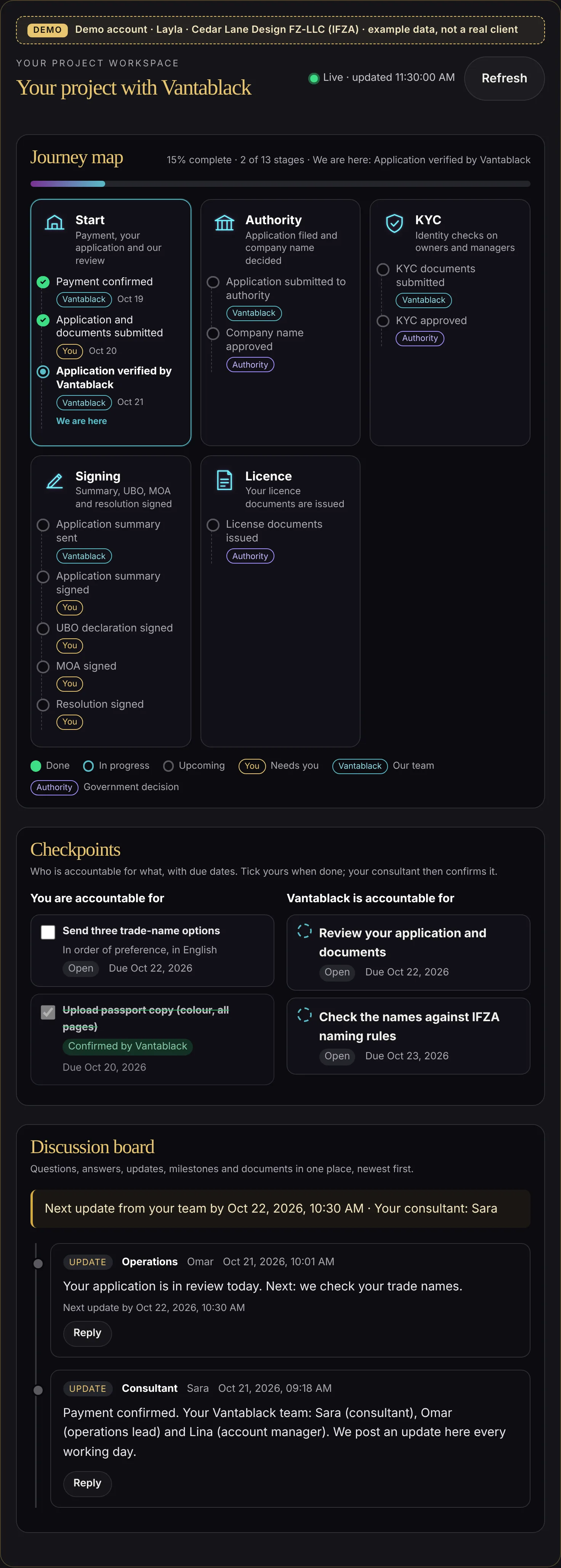
Your workspace opens the moment you are paid up.
The moment your payment is confirmed, you meet your team by name: your consultant, your operations lead and your account manager. The journey map shows where your setup stands, and checkpoints split the work: what you are accountable for and what we are accountable for, each with a due date.
- Your team named on day one, with each person's level and client rating
- Green ticks for every stage already done
- “Needs you” tags on the steps that wait for you
- Our own next actions, with dates, so you can hold us to them

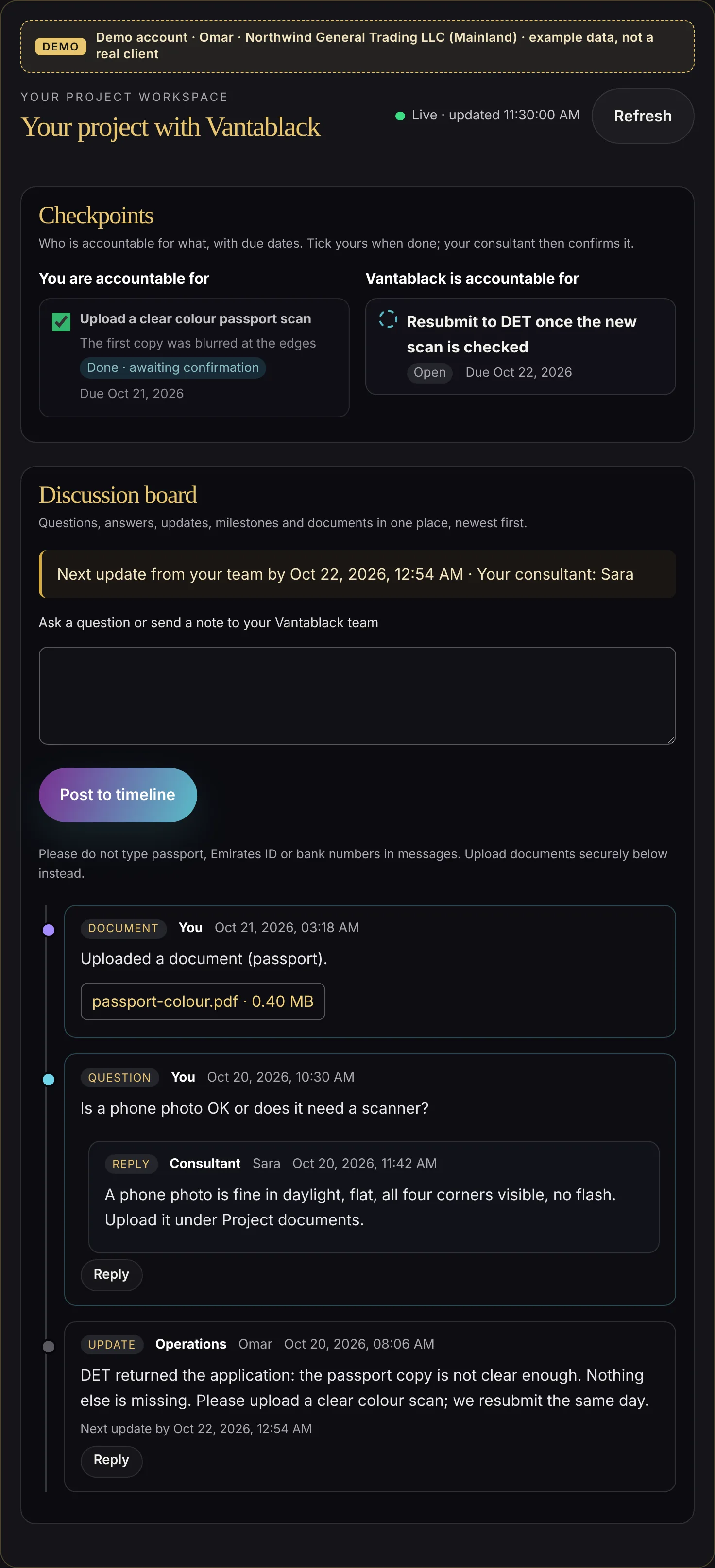
A blurred passport copy, fixed in a few minutes.
The authority returns the application. Operations posts exactly what is wrong and what is not. You ask a quick question, your consultant answers under it, you upload a new copy and tick your checkpoint. We resubmit the same day.
- The exact reason, in plain words
- Your question and the answer stay together
- One tick, then we confirm and resubmit

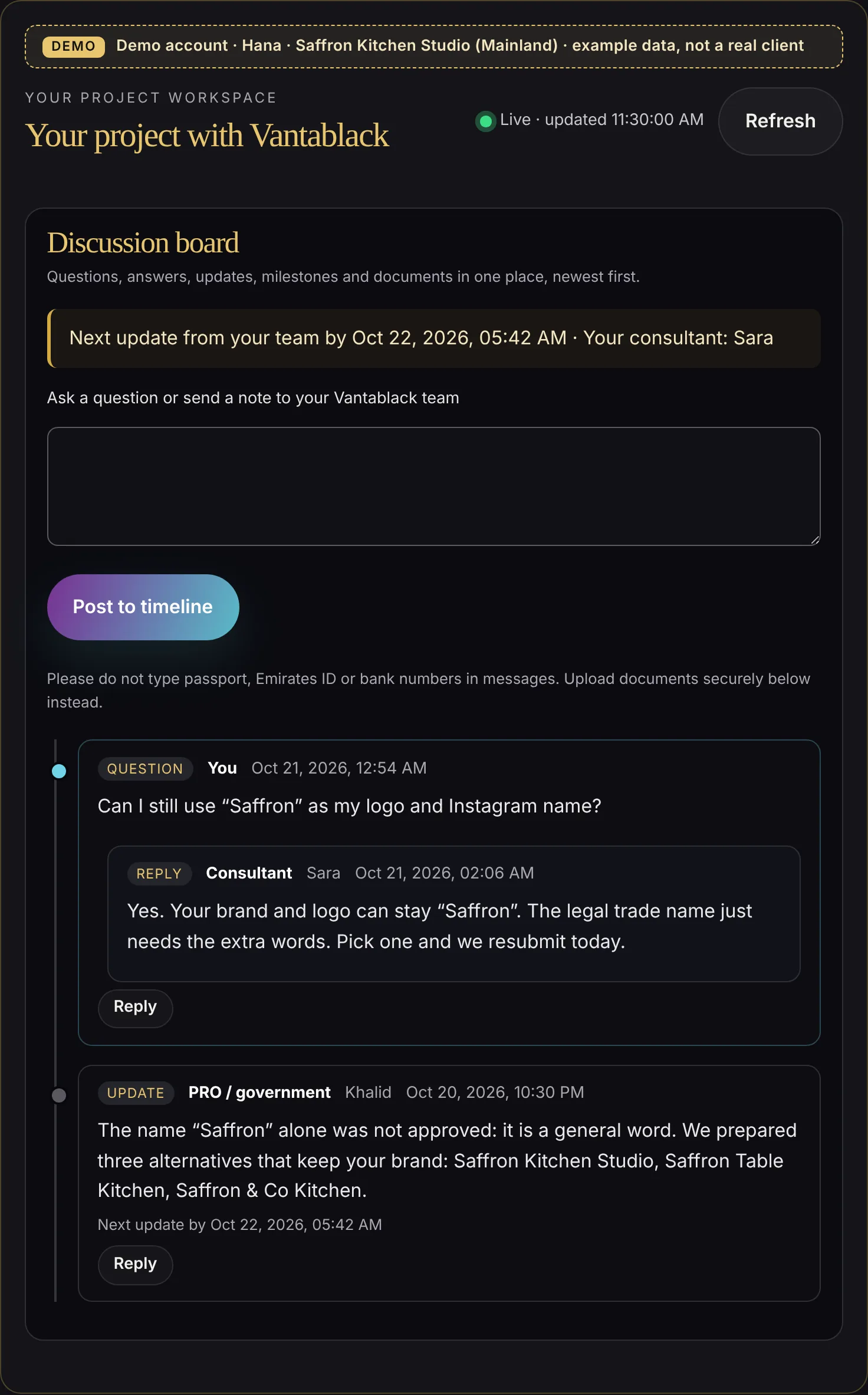
A rejected name becomes three ready alternatives.
The PRO team explains why the name was refused and proposes three alternatives that keep your brand.
You choose one; nothing is resubmitted without your choice.
- Why it was refused
- Three options prepared for you
- You decide; we act the same day

Even “no change” is an update.
When a step sits with the authority, you still hear from us: what we chased, what we expect and when the next update is due. Nothing is needed from you, and the workspace says so.
- The next update time is always shown
- You know who acts now: you, us or the authority
- No chasing us for news
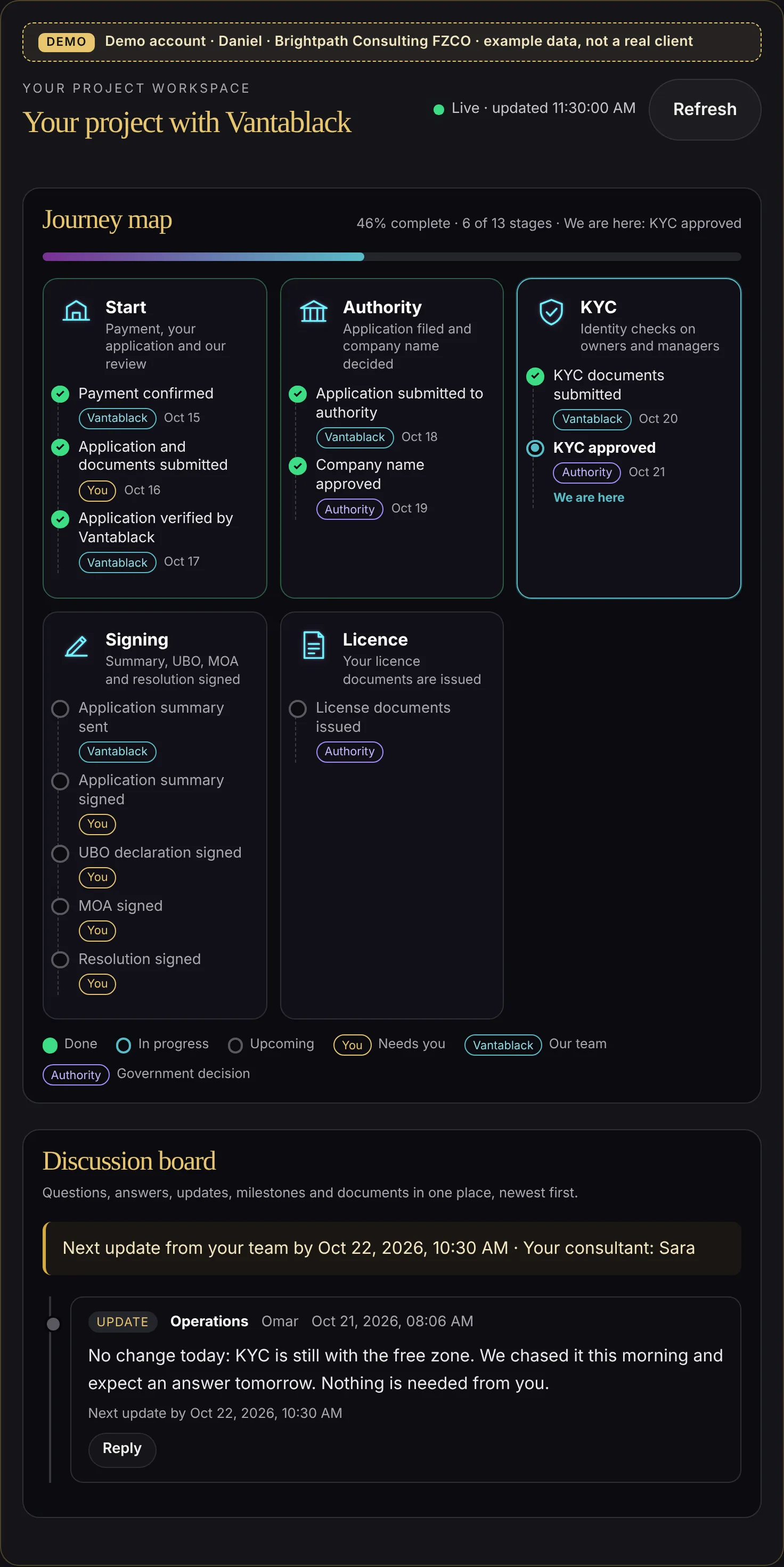
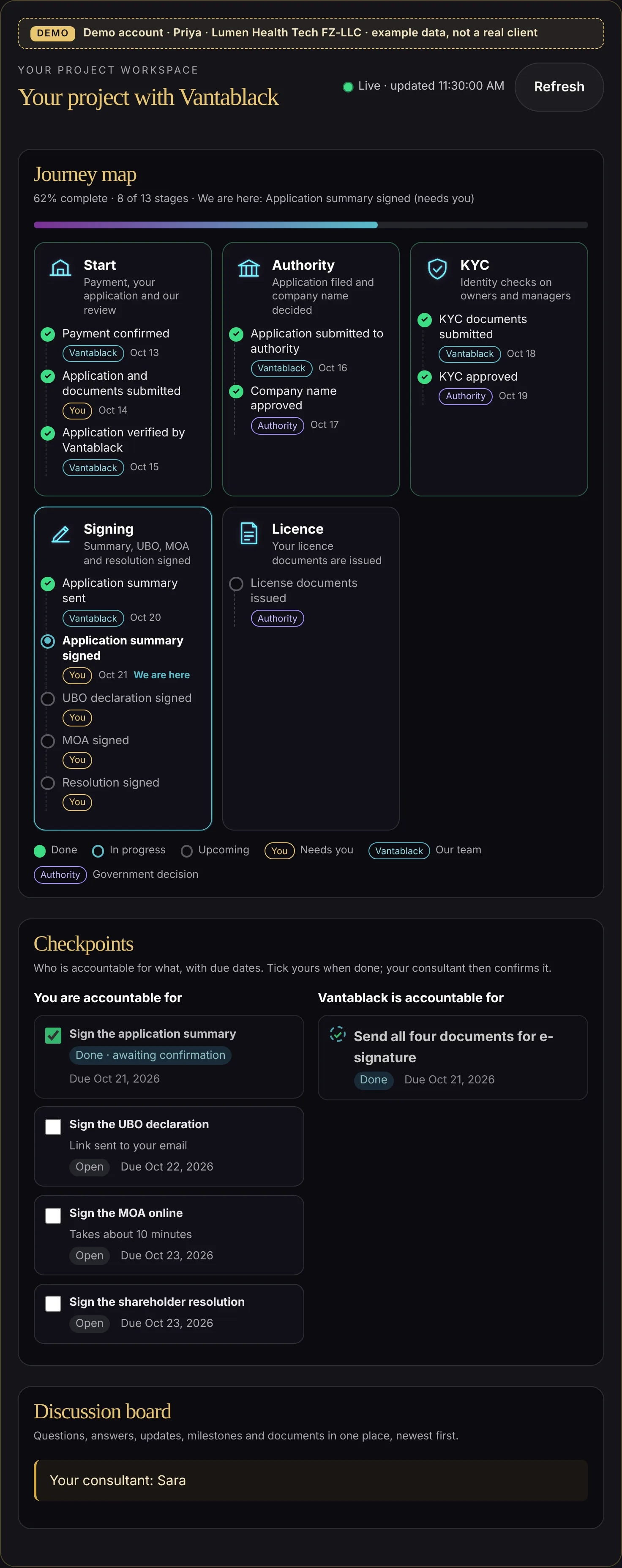
Four signatures, ticked off one by one.
When the documents are ready, each signature becomes a checkpoint with its own due date and a short note on how to complete it.
- One checkpoint per document
- An email the moment a signature needs you
- Clear dates so the licence is not delayed
- Ticks you can see your consultant confirm

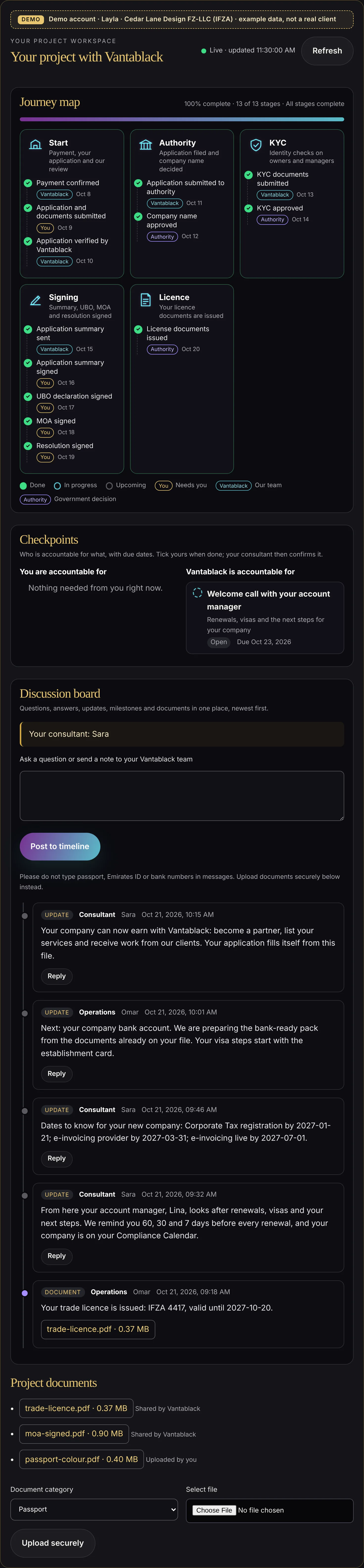
The licence arrives, and the record stays.
The journey map reaches 100%. Your licence and signed documents are in Project documents, and your account manager takes over with a welcome call. Your key dates are set: renewal reminders 60, 30 and 7 days before, Corporate Tax registration and e-invoicing. Your bank account and visa steps start, and your company can become a Vantablack partner and win work from our clients.
- All documents in one place, to download any time
- Renewal, tax and e-invoicing dates added before you ask
- Bank-ready pack prepared from your file
- An invitation to earn as a partner

What stays private
- Your workspace opens only from your private link, with a code sent to your email.
- Our internal team notes and internal files are never shown to you or anyone else.
- Notification emails say there is an update, not what it says. You read it securely in the portal.
- Your workspace is never visible to other clients or community members.
Ready to see your own journey map?
Tell us what you plan to build. Or sign up to the Vantablack Community and look around first.
What else is needed after the licence is issued?
Why this matters
After getting the licence, check banking, accounting, visas, records and any permits needed to operate. Agree who will handle each requirement and keep the supporting documents.
What could change the answer?
New products, services, owners, locations or employees can trigger additional reviews after formation.
Check these details first
- A list of your company’s required filings and renewals
- Responsible owners and supporting records
- Banking and transaction readiness
- Permissions for the work you will do
Choose your next step

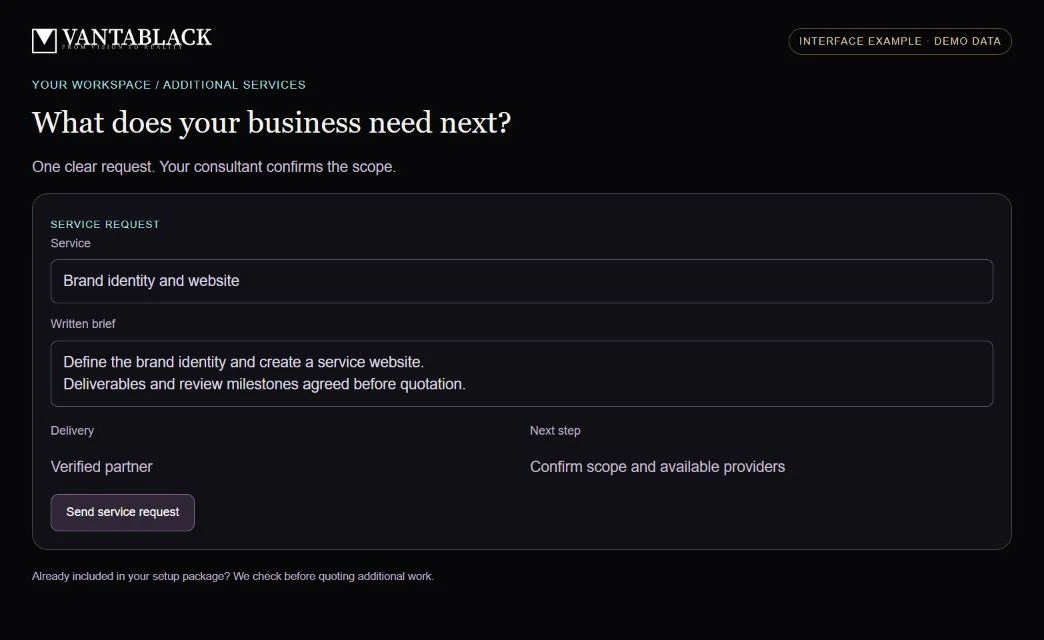
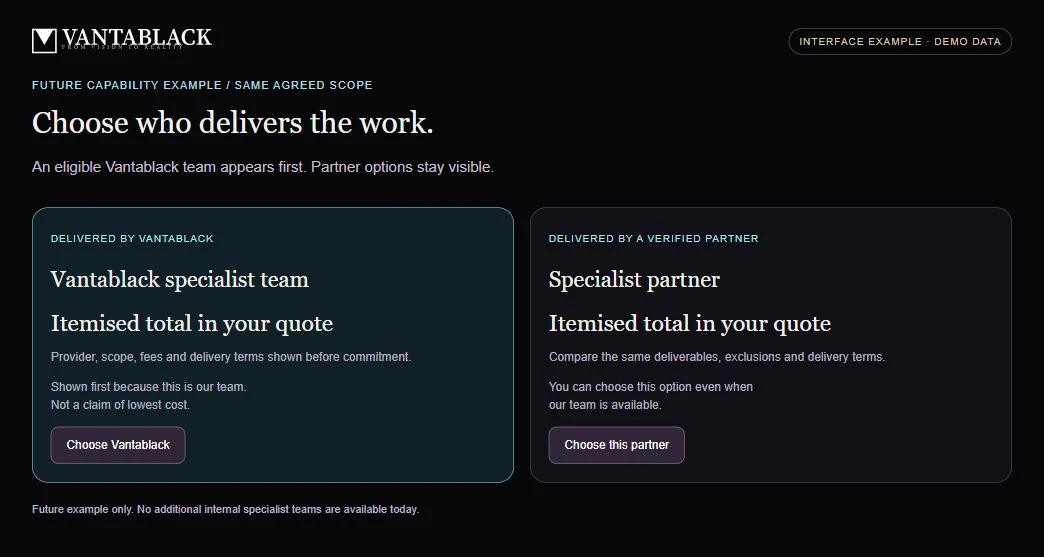
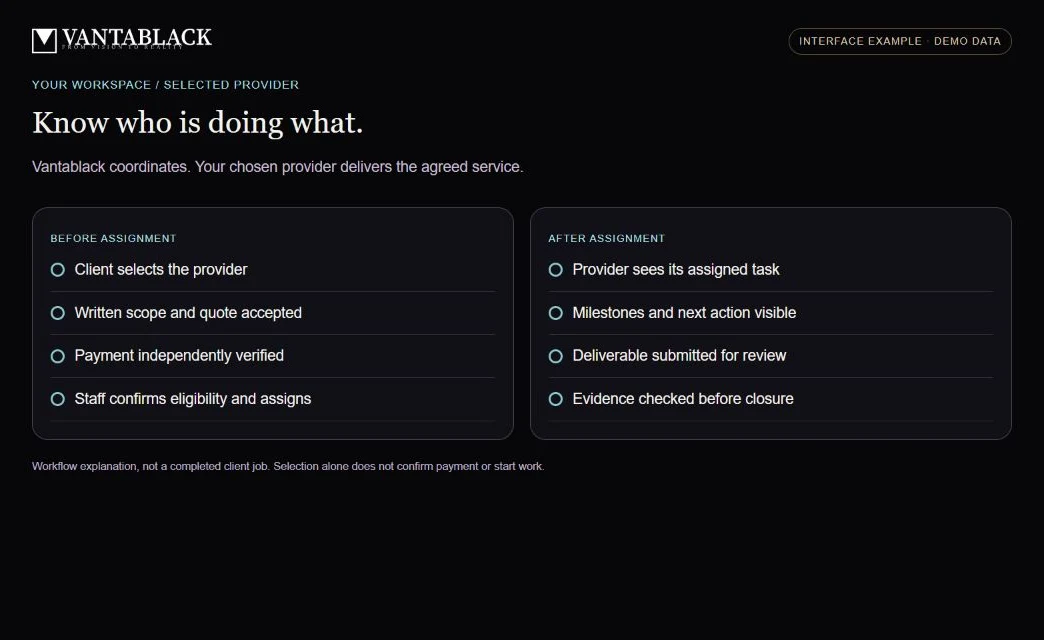
From request to a reviewed result.
These example screens explain the workflow. They do not show real clients, bids or completed work.