Vantablack coordinates assistance included in your setup package. Specialist execution is delivered through the selected qualified partner; the relevant authority or bank makes its own approval decision.
Open a Wio Business account, step by step.
A simplified client guide based on the supplied onboarding walkthrough. Prepare the information first, then move through the application without guessing what comes next.

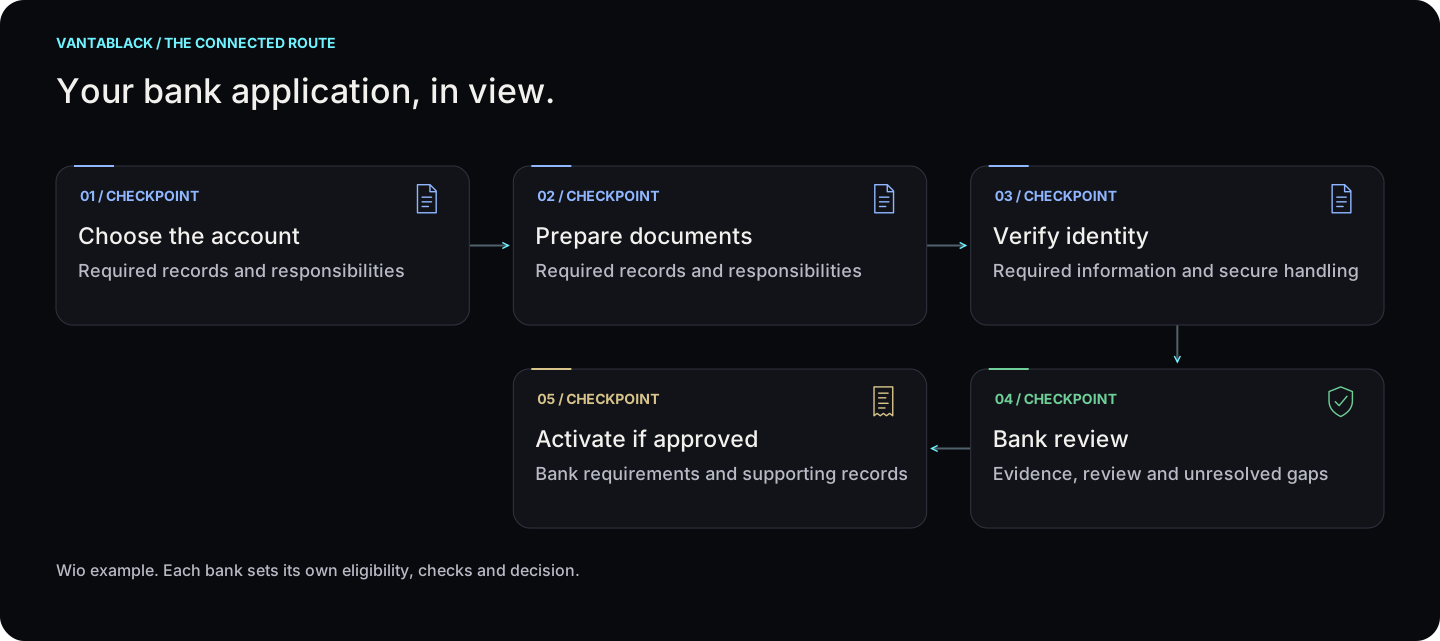
Your bank application, in view.
Wio example. Each bank sets its own eligibility, checks and decision. Select a step to see who acts and what happens next.
Your bank application, in view.
Select a checkpoint for detail
01Choose the accountView checkpoint
Required records and responsibilities
02Prepare documentsView checkpoint
Required records and responsibilities
03Verify identityView checkpoint
Required information and secure handling
04Bank reviewView checkpoint
Evidence, review and unresolved gaps
05Activate if approvedView checkpoint
Bank requirements and supporting records
Wio example. Each bank sets its own eligibility, checks and decision.
Read the steps
- Choose the account — Required records and responsibilities
- Prepare documents — Required records and responsibilities
- Verify identity — Required information and secure handling
- Bank review — Evidence, review and unresolved gaps
- Activate if approved — Bank requirements and supporting records
01
 Choose the accountView step +
Responsible: Client
Check the bank’s current plan and eligibility.
Next: Prepare documents
Time: Confirmed for your file; see the estimate below.
02
 Prepare documentsView step +
Responsible: Client + Vantablack
Check licence, ownership and signatory details match.
Next: Verify identity
Time: Confirmed for your file; see the estimate below.
03
 Verify identityView step +
Responsible: Client + bank
Complete the app’s identity checks and any follow-up requests.
Next: Bank review
Time: Confirmed for your file; see the estimate below.
04
 Bank reviewView step +
Responsible: Bank
The bank reviews the application and decides.
Next: Activate if approved
Time: Confirmed for your file; see the estimate below.
05
Activate if approvedView step +Responsible: Client + bank
Check account access and the selected plan before use.
Next: Agree the next service only if needed
Time: Confirmed for your file; see the estimate below.
Time estimate
The guide records an estimate of up to 3 business days. Additional checks can take longer; approval remains the bank’s decision.
Costs before you proceed
Review the current bank plan before choosing. Vantablack assistance, when included, is shown in your service scope.
Visits and presence
This example uses digital onboarding and identity checks. Follow any additional verification requested by the bank.
Prepare these documents
- Trade licence and company documents
- Owner / signatory identity documents
- Address and business evidence requested by the bank

Have these documents ready.

9 steps from download to activation.
Download Wio Business
Find the Wio Business app in the iOS App Store or Google Play and install the app published by Wio Bank PJSC.
Create your profile
Enter your name and email, choose your role such as owner or manager, verify the email and create your profile.
Select a plan
The supplied guide shows Essential and Grow subscription options. Review the current plan and pricing in the app before choosing.
Enter company details
Add the company name, trade licence number and legal structure such as LLC, sole establishment or free-zone company.
Upload documents
Upload clear, complete copies of the trade licence, MOA where applicable, Emirates ID, passport/visa, proof of address and shareholder documents.
Complete identity verification
Scan the Emirates ID and passport. The onboarding may also request a video selfie; partners or signatories may have their own verification.
Review and submit
Check the company data and uploaded documents carefully, then submit the application for bank review.
Track the application
The supplied guide states review may take up to 3 business days and status notifications are sent through the app and email.
Activate the account
Once approved, access the IBAN and account. Card and other available features can then be requested through the app.
Wio may change its screens, plan names, pricing, eligibility, document requirements or review times.
Use this as a preparation guide and follow the current instructions shown in the Wio Business app when applying.

Reduce avoidable banking delays.

What else is needed after the licence is issued?
Why this matters
After getting the licence, check banking, accounting, visas, records and any permits needed to operate. Agree who will handle each requirement and keep the supporting documents.
What could change the answer?
New products, services, owners, locations or employees can trigger additional reviews after formation.
Check these details first
- A list of your company’s required filings and renewals
- Responsible owners and supporting records
- Banking and transaction readiness
- Permissions for the work you will do